

Amasty WhatsApp Extension for Magento 2

It is crucial for online merchants to always stay in touch with their clients and quickly react to their inquiries. Today, we present a solution that allows extending standard communication channels and implementing a personal approach in customer relations – the Amasty Magento 2 WhatsApp extension. The module provides seamless integration with the most widely used instant messaging app and allows online store owners to fully leverage its potential. The Amasty Whatsapp Combo extension not only implements social sharing functionality but also adds chat and request for quote functions to Magento 2 stores.
Below, we provide an overview of the main features of the Magento WhatsApp integration tool developed by Amasty.

Table of contents
Features
- Product share on WhatsApp in one click;
- The ability to use bitly short URLs for sharing product info;
- Integration with Google Analytics for tracking info shared by customers;
- Magento WhatsApp Chat;
- Request a quote via the WhatsApp button;
- Customization options for the WhatsApp chat button;
- Support for the WhatsApp mobile app and web version.
The first benefit offered by the Magento 2 WhatsApp extension by Amasty is the ability to share products from your store on WhatsApp. You can add the “Share on WhatsApp” button to any product, allowing customers to instantly share information about your products with any person from their contact list. When a WhatsApp contact opens a shared product URL, they will see the item details, such as title, price, coupon code, and others. Also, note that the Magento 2 social share module is integrated with Bitly. This tool shortens product URLs, which makes them handier and encourages sharing. Besides, the bitly link shortener helps you track your website visitors.
Another opportunity for getting insights into your customers’ interests offered by the Amasty Magento 2 Whatsapp share extension is UTM tracking. With the appropriate code, you can track messages with shared products on WhatsApp. By analyzing the collected data in Google Analytics, you will better understand what goods are the most popular among your webstore visitors. You can use the traffic analysis results when creating marketing campaigns in the future.
In addition to social sharing, the Amasty WhatsApp integration tool extends the options for communicating with customers. The Magento 2 module adds the “Chat on WhatsApp” button to every page of your store, allowing shoppers to contact you instantly. This way, you drastically improve customer service quality and establish closer relations with your potential clients.
Besides, you can utilize WhatsApp integration to receive quotes from your store visitors. After configuring the quote button, you can place it on the product description and order success pages. Thus, you will be able to instantly respond to customers ‘ queries, improving user experience on your storefront and building trust to your business.
You can customize the WhatsApp chat button by changing the background color and applying animation effects to the WhatsApp icon. Moreover, it is possible to create a personalized welcome message and display it to your store visitors to quickly grab their attention.
Backend
All configuration settings of the Amasty Magento 2 Whatsapp extension are located under Stores -> Settings -> Configuration -> Webiators and divided into three tabs: Share on Whatsapp, Quote on Whatsapp, and Chat on Whatsapp. The first tab includes four sections: General Settings, Sticky Share Button Settings, Google Analytics UTM Tracking Settings, and Bitly Settings.
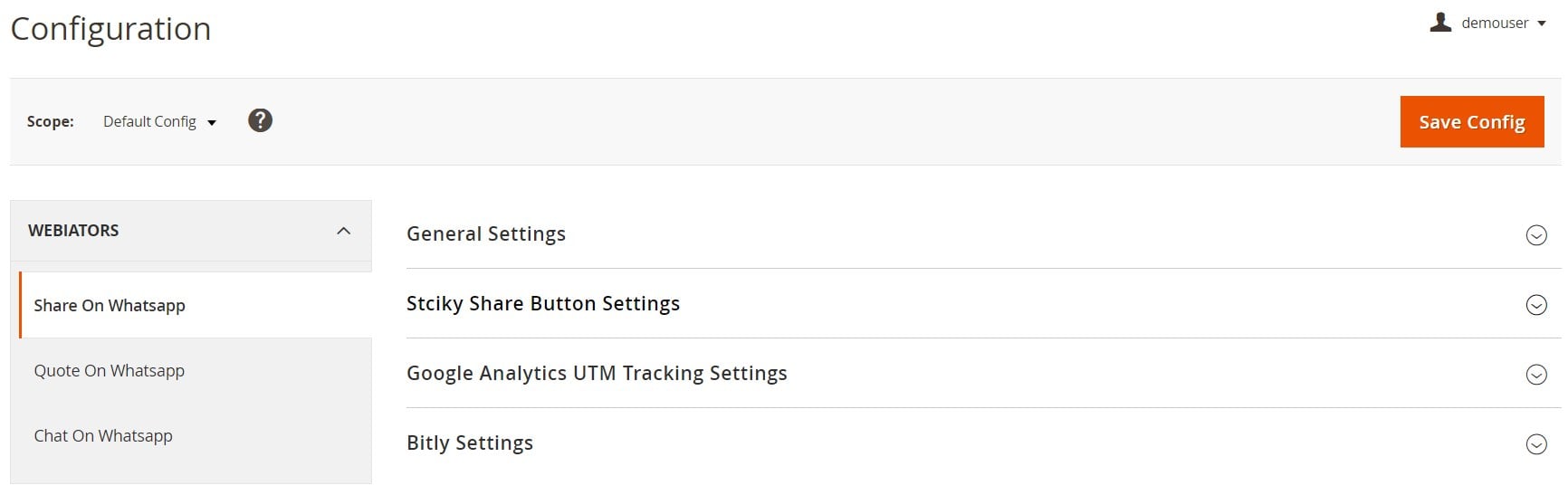
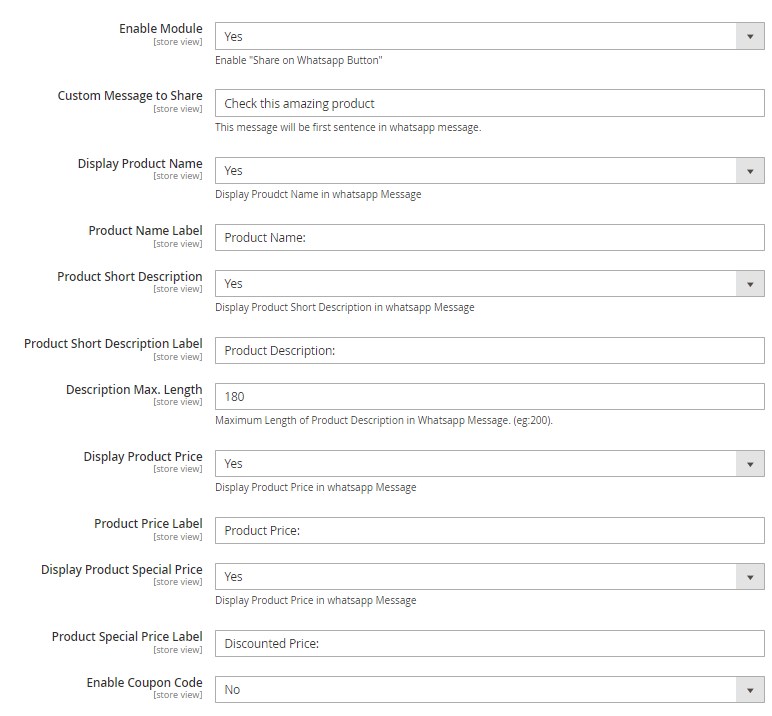
First, enable the module to place the “Share on Whatsapp” button on your store pages. In General Settings, you can type a text for the message displayed next to the Whatsapp share button, decide whether to display a product name, short description, price, and special price and create their labels, and enable/disable coupon codes.
Next, select a position for the Whatsapp share button. It is also possible to apply various effects to the button.

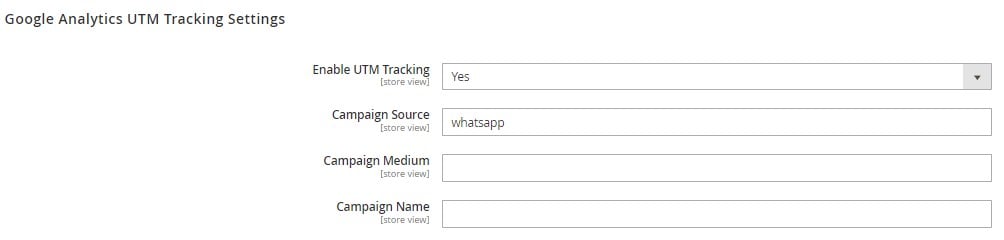
If you want to track the traffic coming from the links shared by customers on WhatsApp, enable the appropriate feature in Google Analytics UTM Tracking Settings and specify UTM campaign source, medium, and name.
In the last section of the tab, you can activate Bitly short URLs for sharing product info. It is necessary to enter an access token from your Bitly account if the feature is enabled.

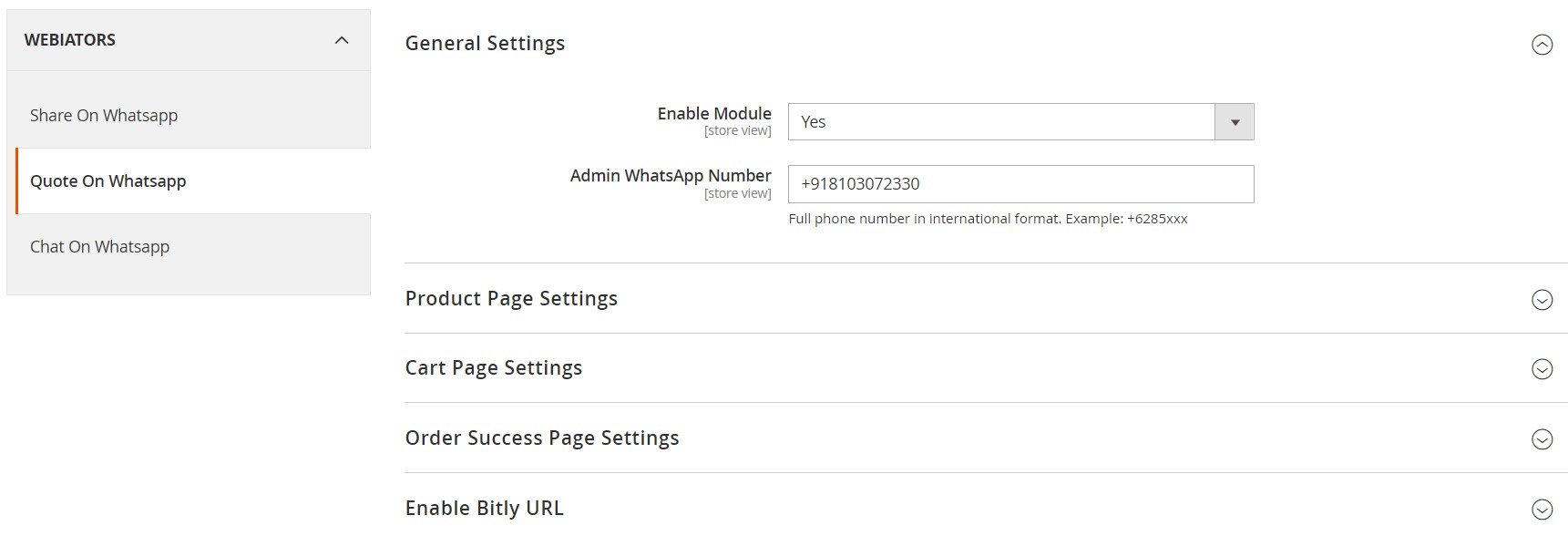
Under the Quote on Whatsapp tab, first, enable the module to be able to use the appropriate feature and specify a contact number of the admin.
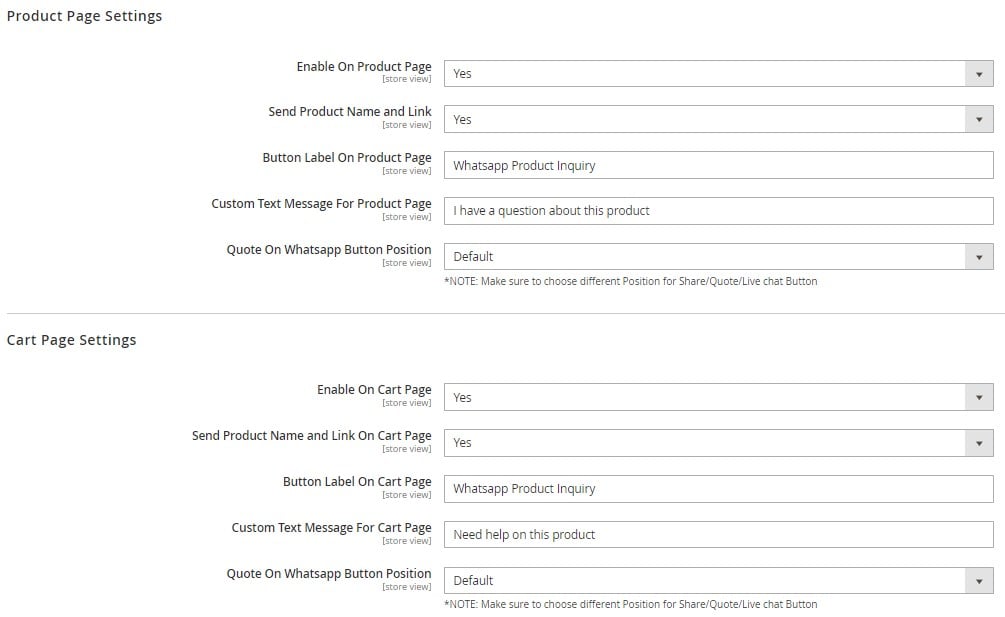
Next, decide whether to show the Quote button on product and cart pages and if you want to receive a product’s name and link after a customer clicks on the button to send a quote. You can also customize the look of the Whatsapp quote button by creating its name and message and choosing its position on the page.
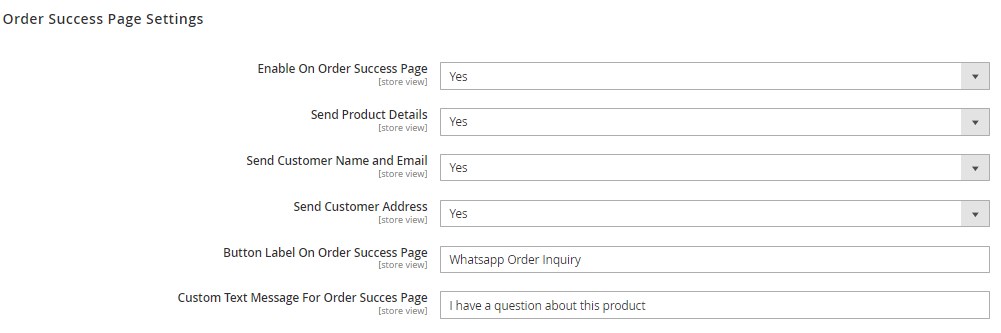
Besides, it is possible to place the Quote button on the order success page. You can decide whether to receive product details and customer name, email, and address when a quote request is submitted. You can also specify a custom label and text message displayed on the Whatsapp button.
The last section under the Quote on Whatsapp tab allows configuring Bitly URL settings.

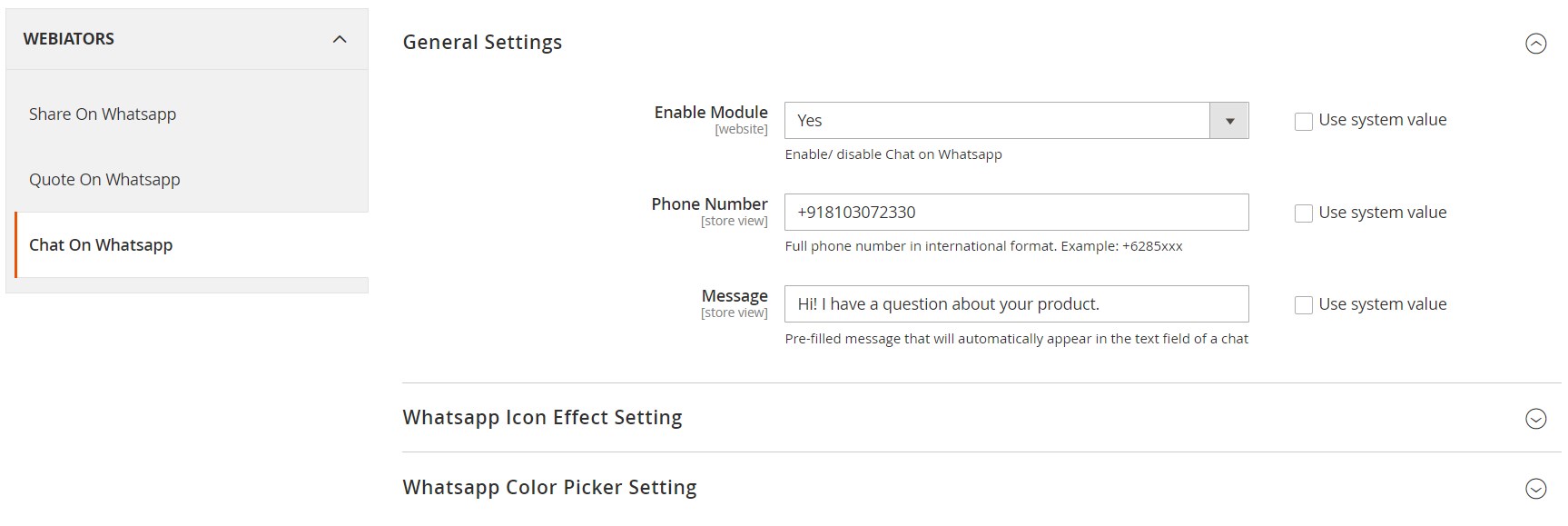
As for the Whatsapp Chat settings, first, you can enable/disable the chat on the Whatsapp feature, enter a phone number for communicating with your store, and type a default message that will be automatically shown in the chat.
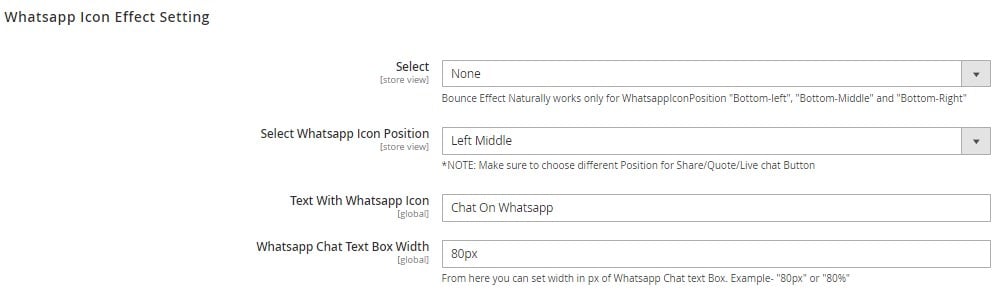
In the following section of the Chat on Whatsapp tab, you can select an animation effect to apply to the button, specify a position for the Whatsapp icon, add a text, and set the width of the text box on the button.
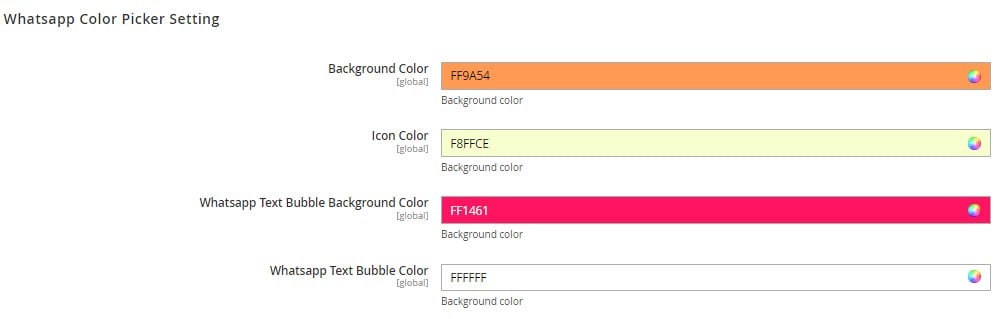
Besides, you can choose colors for the button’s background and WhatsApp icon.
Frontend
Now, we want to show you how Whatsapp buttons configured with the Amasty Whatsapp extension appear on the frontend.
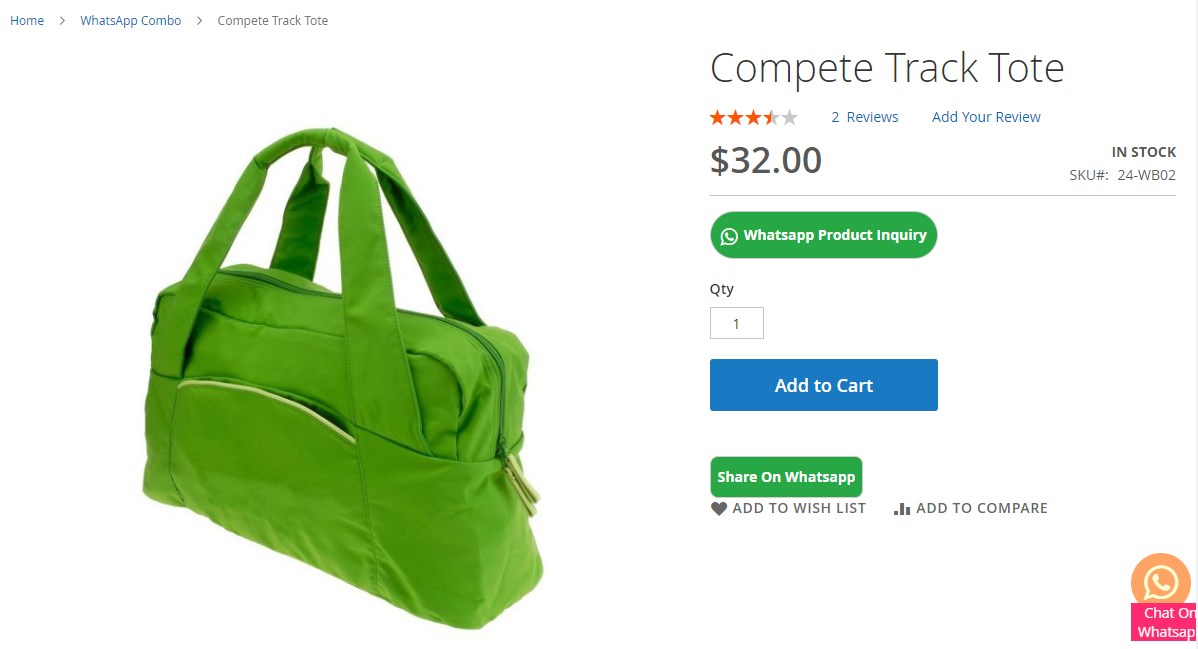
The first example shows how the WhatsApp share and quote buttons look on the product page. The Whatsapp Chat button is displayed as a sticky button.
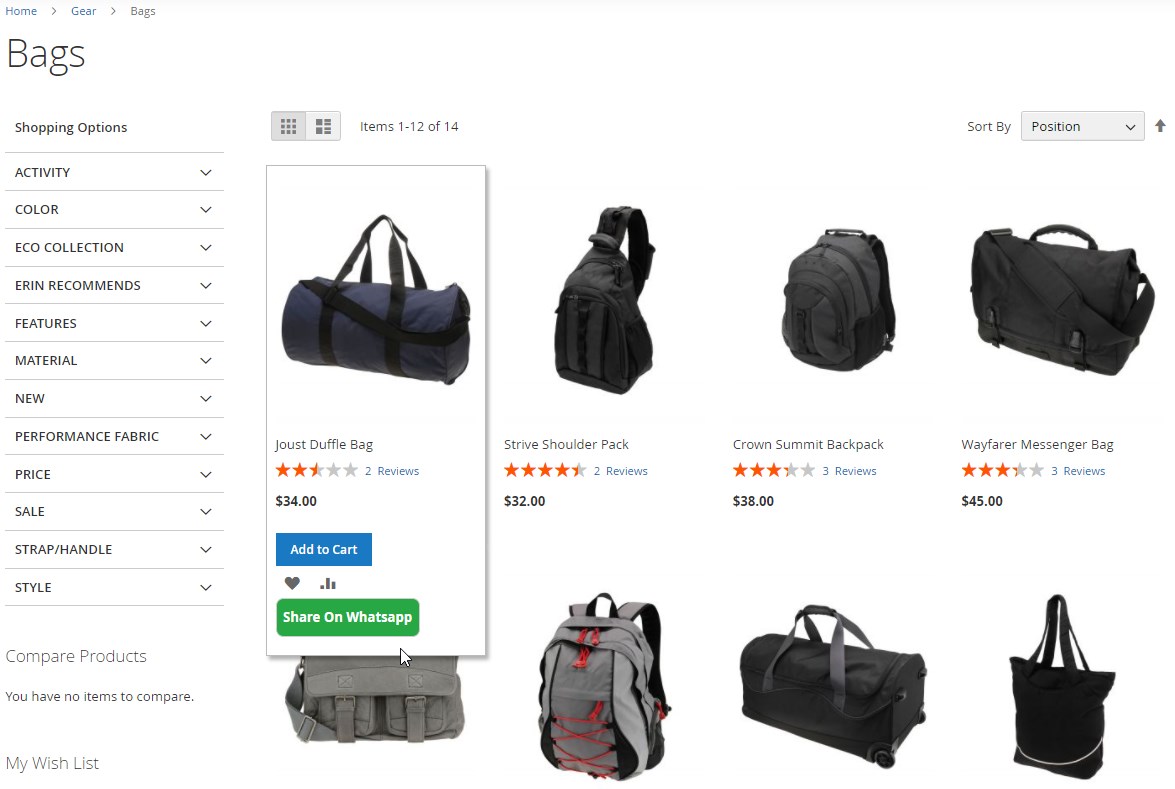
On the catalog page, the Share on Whatsapp button appears upon hovering over the product image:
Final Words
The Magento 2 WhatsApp Combo extension by Amasty enables e-commerce merchants to implement the WhatsApp chat and share functionality with seamless app integration. By installing the module, you will improve communication with customers and increase loyalty to your business. By providing your website visitors with the option to share information about your products, you can attract new clients, increase brand recognition, and get an additional sales channel.
The price of the Magento 2 WhatsApp integration module is $99. If you want to learn more about the extension, click the link below:
Related posts
 How to Contact Shopify Customer Service: AI Assistant, Phone Number, Live Agents, & Other Options in 2025
 Magento SEO in 2026: Proven Strategies to Rank Higher and Boost Sales (50+ Tips)
 Shopify or Etsy: Branding Freedom vs. Uniformity
 Magento 2 Bundle Product with Custom Options: Complete Guide to Benefits, Limits & Import
 Etsy vs. Shopify: Which Platform Wins the Marketing and SEO Game?
 A Complete Guide to Shopify Customer Import
 Export Products from Magento 1 to Magento 2 Easily: Full Migration Tutorial for 2025
 Take Full Control over Product Visibility in Shopware 6: Introducing the ‘Replace Product Sales Channels’ Feature for Import