"import"

Import/Export cookbook: How to automate Magento 2 product catalog update from Google Sheets, FTP/SFTP, Google Drive, OneDrive, Dropbox
Working with suppliers requires you to regularly update your Magento 2 product catalog with new prices, stock updates, and sometimes other relevant attributes. Store managers can spend a lot of time manually going product by product, spending their time and going attribute by attribute.

With Improved Import & Export extension for Magento 2 you can automate product catalog update tasks with cron scheduler and recurring import jobs, that automatically fetch the file with supplier updates from the source, and upload it to your store.

In the article below, I will give you step by step instructions on how to do it.
Continue Reading

Import/Export cookbook: How to update Magento 2 product prices during import quickly, without editing the CSV table

If you are a dropshipper or want to follow the inflation and increase product prices for your whole Magento 2 catalog or a part of it, you can do it quickly with the Improved Import & Export extension.

Export product catalog and import it back with the Price Rules – a quick filter that allows increasing and decreasing prices by a percent or a flat value.

Continue Reading

How to fix store ID-related issues on Magento 2 import

- E-Commerce, Magento 2

Magento 2 export CLI

StackExchange teems with interesting and useful tips related to Magento 2. This time, we’ve dug up a discussion where the author named Jackson complains about store ID-related issues that occur in Magento 2. Let’s take a look at the problem and provide several possible solutions. Jackson points to a particular script used to import data from a CSV file. However, the use of ->setStoreId(0) causes an issue – two values for the same field in the database table occur. As a result, it is necessary to delete second values to enable changes on the frontend but it often leads to the incorrect display. How to address the problem? You will find out how to fix store ID-related issues on Magento 2 import as it is portrayed in the discussion. At the same time, we provide a reliable alternative based on the Improved Import & Export. Also, you will discover other improvements associated with the module.
Continue Reading

How to Automate Magento 2 Import & Export

- E-Commerce, Magento 2

improved import and export - Magento 2 extension

We have very good news for you: it’s no longer necessary to import/export files to/from Magento 2 manually. And below we explain how to automate Magento 2 import and export processes. Check this post and you will find out how to save tons of time and effort making your daily routine fully automated.

Of course, you need a third-party extension to achieve your goal. And we recommend you to use the Improved Import & Export Magento 2 extension, since the Magento 2 Open Source platform doesn’t add any automation to import/export processes. As a result, you have to perform each run manually, but before diving deep into the nature of our solution, let’s tell a few words about the automation itself. Continue Reading

How to improve Magento 2 import and export speed?

- Magento 2

improved import and export - Magento 2 extension

Have you ever wondered why Magento 2 import and export processes are so slow? If you move data to and from your store on a regular basis, low import/export speed may become really annoying. But what is the reason for this problem and how to solve it? You will find the answer below.

Also, the article provides an alternative solution for the Magento 2 import and export performance issue. The default data transfer solution is associated not only with relatively low speed stats but also with a plethora of other hurdles that don’t let your admins manage data most efficiently. However, there is a universal solution that addresses all the issues associated with Magento’s built-in tools – the Improved Import & Export extension. You will also find its core features described below. 
Continue Reading

How to fix the “URL key for specified store already exists” issue on Magento 2 import

- E-Commerce, Magento 2

Magento 2 export CLI

Let’s suppose that you need to import a product CSV file, that follows the Magento 2 requirements, to a new installation. What could go wrong? Unfortunately, several errors may occur when you do that, including “URL key for specified store already exists”. In the following article, we explore the issue on the example provided in a StackExchange discussion, where Zed Blackbeard argues that it is impossible to import products to Magento 2 due to the general system exception. Magento informs its administrator who runs the update that the URL key for the specified store already exists. After that, the system breaks the import. 

Below, you will discover the conditions that cause the problem. After that, the article provides several possible resolutions. To be more specific, we provide recommendations from the appropriate StackExchange discussion as well as deliver our approach that incorporates the Improved Import & Export extension. If you face other issues while using your Magento installation, you may try to find them described in this blog post: Magento 2 Cookbook.
Continue Reading

How to Import Custom Files to Shopify

- E-Commerce, Shopify

 shopify import & export app

Fail to import custom files to Shopify? You’ve come to the right place. Although you cannot do that with the platform’s default tools, an alternative solution is suitable for this procedure. In the following article, we describe where the issue comes from and how to address it.  Continue Reading

Exploring Magento 2 Backend: Import/Export Tax Rates

- E-Commerce, Magento 2

magento 2 tax rates import export

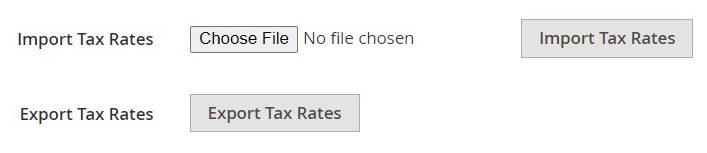
Tax rate management in Magento 2 is quite a straightforward process if you conduct business locally. However, when you expand and start operating in several states with different legislation, not to mention international operations, manual tax rates entering becomes hugely time-consuming. What alternative opportunity does Magento 2 offer? By default, the platform has a separate screen where you can import all the necessary tax rates, preliminarily downloading them by ZIP code. In the following material, we explore how to transfer a set of tax rates back and forth and talk about an alternative solution.  Continue Reading

Magento 2 Cannot Import Product Images: Reasons & Resolutions

- Fire development, Magento 2

Magento 2 export CLI

In the article below, we explain two mistakes common for the import of product images to Magento 2 that roil the entire data transfer. You will find out how to counteract them, preventing possible troubles. Besides, we describe an alternative solution that reinforces the default data transfer routine, drastically extending the default import/export capabilities of the platform. More useful tips are listed here: Magento 2 Cookbook. Continue Reading