Magento 2 CLI Guide 2026: Everything You Need to Know About CLI Commands for Magento Open Source & Adobe Commerce, Including Import & Export

- Fire development, Magento 2

Magento 2 Development; Magento 2 tutorial

Managing an ecommerce store from the Admin Panel is convenient, but many Magento 2 and Adobe Commerce tasks are faster and more flexible from the command line. The Magento 2 CLI (Command-Line Interface) provides developers and system administrators with direct access to essential store management, configuration, maintenance, deployment, and data operations.

With the bin/magento CLI, you can perform tasks such as clearing cache, reindexing catalog data, running cron jobs, managing modules, deploying static content, changing configuration, enabling maintenance mode, and upgrading the Magento database. CLI commands are also important for automating recurring operations and managing large-scale ecommerce environments.

Although Magento Open Source and Adobe Commerce share the same core CLI framework, Adobe Commerce can provide additional commands through its Commerce-specific modules and services. The available command set also depends on the Magento version and enabled extensions.

In this guide, we explain how to use Magento 2 CLI commands, show the most useful commands for Magento Open Source, highlight additional Adobe Commerce commands, and explain how to execute CLI operations safely. You will also learn how the command line can support Magento 2 product import, export, data synchronization, migration, and other automated workflows. Continue Reading


Magento 2 GraphQL Tutorial: How to Import Data via GraphQL API into Magento 2 Open Source & Adobe Commerce

- E-Commerce, Magento 2, Our extensions

Magento 2 graphql import export

The following Magento 2 GraphQL tutorial describes how to import and export data into/from Magento 2 Open Source and Adobe Commerce with the help of the GraphQL API in 2026. This connection type is yet impossible out of the box, but the community is working hard to introduce it as a replacement for the REST API. At the same time, some tools enable Magento 2 GraphQL API import and export right now. For instance, you can leverage the Magento 2 GraphQL API import and export processes with the Improved Import & Export Magento 2 module.

The following article sheds light on how to import data into Magento 2 via the GraphQL API with the help of our extension. You will find out how to enable the Magento 2 GraphQL API import and what extra benefits it is associated with. If you are not familiar with what the GraphQL API is, we’ve also prepared a chapter that describes this standard and its benefits over REST and SOAP. Besides, an FAQ section provides answers to frequently asked questions about GraphQL Magento 2 import and export processes.
Continue Reading

Magento 2 Bulk API & Asynchronous Import

- E-Commerce, Fire development, Magento 2

Magento 2 Bulk API

Below, we discuss the Magento 2 bulk API and the corresponding asynchronous import processes. After a short introduction to the topic, we shed light on the preconditions and history of the asynchronous Magento bulk API. You will find out what new endpoints are used, how asynchronous responses work, what role bulk APIs play in system processes, what status endpoints are utilized, why Swagger is important, etc. After that, we discuss the performance of bulk APIs in Magento 2 as well as the corresponding endpoints and the repeated features, including routes, payloads, responses, delete requests, store scopes, and object update/generation. Finally, the article switches to asynchronous import processes and product creation via bulk APIs.  Continue Reading

Magento 2 REST API Import: Guide for Adobe Commerce & Magento Open Source

- E-Commerce, Magento 2, Our extensions

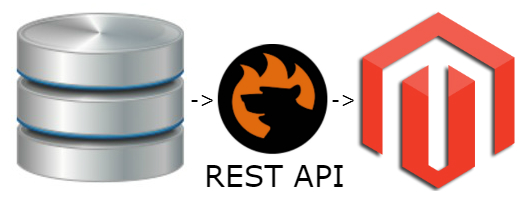
Magento 2 REST API Import

Magento 2 REST API provides a standard way to connect your store with external systems and exchange data through API requests. It can be used to integrate Magento 2 with ERP, CRM, PIM, supplier, marketplace, and other third-party platforms. Adobe Commerce and Magento Open Source use the REST API framework to expose a wide range of endpoints for working with store data.

However, using the Magento REST API to import data from an external system is not the same as sending an individual API request. When you need to retrieve product, customer, order, category, inventory, or other data regularly, you also need to handle authentication, data formats, attribute mapping, transformations, and import scheduling.

This is where the Improved Import & Export extension for Magento 2 comes in. It lets you connect Magento 2 to external REST API sources and import data in JSON or XML format. You can configure API requests, map external fields to Magento attributes, transform data, and automate recurring imports.

In this guide, we explain how the Magento 2 REST API works, how to configure REST API data import with Improved Import & Export in 2026, and which features can make API-based data synchronization easier in both Magento Open Source and Adobe Commerce.
Continue Reading

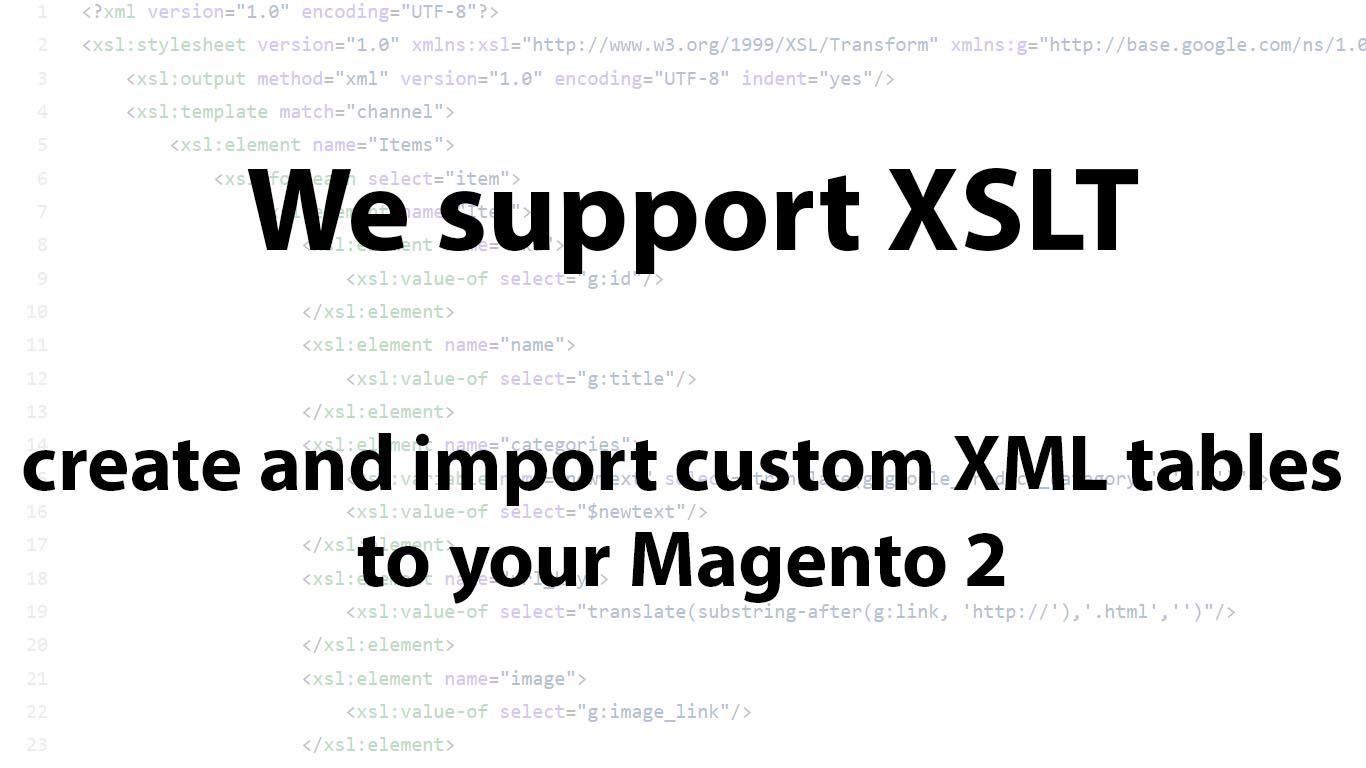
Advanced Magento 2 Import with XSLT Transformation: How to Import any XML to Magento Open Source & Adobe Commerce

- E-Commerce, Magento 2

When working with suppliers, you may often encounter XML files with custom table structures and formatting. Magento 2 cannot always process these files out of the box, especially when product attributes use different names or follow a structure that doesn’t match Magento’s requirements.

The same challenge can occur when exporting data. Your CRM, ERP, supplier, or other business software may require XML files to follow a specific structure and formatting standard.

That’s why we introduced XSLT support in the Improved Import & Export extension. It lets you transform XML files and adapt their structure to the format required by Magento 2 or your external systems, making it easier to exchange product and other data with virtually any integration.

Continue Reading

Magento CMS Block Guide 2026: How to Create, Import & Export Magento 2 Static Blocks

- E-Commerce, Magento 2, Our extensions

Illustrative image for the Magento 2 CMS Block Guide with emojis, magento logo, and text on orange background

Creating a standout storefront in Magento 2 often comes down to how well you manage your CMS blocks or static blocks that power everything from homepage banners to promotional widgets. These reusable content elements are the building blocks of engaging layouts and dynamic pages. Whether you’re customizing your homepage, setting up seasonal offers, or building with Magento Page Builder, Magento 2 static blocks are key to delivering rich, branded experiences.

Yet, despite their critical role, Magento 2 doesn’t offer built-in tools for importing or exporting CMS elements like static blocks, pages, or widgets. That’s where the Improved Import & Export extension steps in, enabling seamless data transfers across stores and environments.

In this comprehensive guide, we explore what Magento 2 CMS blocks are, the difference between static and dynamic blocks, how to create and insert blocks, and how to import and export Magento 2 static blocks quickly and accurately. You’ll learn how to structure your import table, configure import jobs, and avoid common pitfalls. We’ll also walk through every CMS block attribute, share ready-to-use sample files, and explain how to move CMS content between Magento 2 installations with confidence. Whether you’re a developer, store admin, or agency partner, this tutorial will help you master Magento CMS block management like a pro.

Continue Reading

Complete Magento 2 Tax Configuration Guide: Add, Import & Export Tax Classes and Rules in Adobe Commerce & Magento Open Source

- E-Commerce, Magento 2

Illustrative image for the Magento 2 Tax Configuration guide with emojis, magento logo, and text on orange background

Configuring taxes correctly in Magento 2 is critical for maintaining compliance, building customer trust, and ensuring accurate pricing across your store. In this comprehensive Adobe Commerce and Magento Open Source guide to Magento 2 tax configuration, we’ll walk you through everything you need to know — from setting up tax classes and tax rules to leveraging automation for importing and exporting tax data.

You’ll discover how the Estimate Shipping and Tax feature works in Magento 2 and how it affects the shopping experience in 2026. We’ll also explain how to add new tax classes for products and shipping, configure Magento 2 tax rules, and ensure your tax calculation settings are accurate for any region or customer group.

Beyond manual setup, we’ll show you how to import and export Magento 2 tax rates using a properly structured CSV file — a must for multi-store setups, regional tax updates, or migrating from Magento 1. To help streamline this process, we’ll introduce a powerful third-party extension that automates tax class imports, improves flexibility, and reduces configuration errors.

Whether you’re launching a new store or optimizing an existing one, this guide will give you the tools to handle Magento tax calculation confidently and efficiently.

Continue Reading

Magento 2 Product Reviews Import & Export Guide for Adobe Commerce & Open Source: Streamline Your Workflow and Boost Store Credibility

- E-Commerce, Magento 2, Our extensions

illustrative image for the Magento 2 Product Reviews Import & Export Guide with emojis, magento logo, and text on orange background

Magento 2 product reviews are more than just comments — they’re a trust signal, an SEO asset, and a conversion booster rolled into one. But while the platform lets customers leave reviews natively, it offers no built-in way to import or export them in bulk. That’s a serious bottleneck for merchants migrating catalogs, syncing staging environments, or preserving valuable user-generated content during store upgrades.

In this guide, we’ll show you how to take full control of product reviews in Magento 2 in 2026, focusing on how to import and export them efficiently using the Improved Import & Export extension. From formatting CSV files and mapping ratings to automating review imports across store views, everything happens directly in the admin panel without touching the database.

You’ll also find a detailed explanation of the Magento 2 product reviews CSV format, including attribute names, accepted values, and practical examples to avoid common mistakes. We’ll explore how the extension transforms what would otherwise be a manual, error-prone task into a streamlined, scalable workflow.

But before jumping into the technical setup, we’ll first review how to make sure product reviews are properly enabled in your Magento 2 store. That way, your Magento 2 product reviews import export efforts start on a solid foundation.

Continue Reading

How to Import Product Images to Magento 2 in Bulk Using CSV Files: Adobe Commerce & Magento Open Source 2026 Guide

- Fire development, Magento 2

illustrative image for the "How to Import Product Images to Magento 2 in Bulk Using CSV Files" guide with magento logo, text, and emojis of images with captions: base_image, small_image, thumbnail_image

Looking to import product images in Magento 2 quickly and efficiently in 2026? In this Adobe Commerce & Magento Open Source guide, we explain how to import images into Magento 2 using CSV files — a crucial part of any bulk product upload process. Whether you’re launching a new store or updating thousands of items, manual image uploads just aren’t practical.

Fortunately, Magento 2 supports two default methods for bulk product image import: uploading from a local server or a remote server. Both are covered in the official documentation and can help streamline your workflow, but they come with limitations.

To overcome these constraints and make Magento 2 import product images even easier, we recommend using the Improved Import & Export extension. It offers more flexibility, automation, and full support for importing multiple product images per product via CSV.

Let’s explore how each image import method works, compare their capabilities, and show you how to make your Magento 2 image import process as seamless as possible. For more advanced techniques, check out our Magento 2 Developer’s Cookbook.

Continue Reading

Magento Google Sheets Integration 2026: How to Sync Data via Import & Export Easily Between Google Sheets & Magento 2 Open Source or Adobe Commerce

- E-Commerce, Magento 2, Our extensions

Illustrative image for the Magento 2 google sheets integration guide with emojis, magento and google sheets logos, and text on orange background

Magento Google Sheets integration makes it possible to import and export data between the two platforms without complex manual steps. While in 2026 this feature isn’t available in the default Magento 2 administration, no matter whether you use Magento Open Source or Adobe Commerce, you can unlock it easily with the right third-party tools.

Meet the Improved Import & Export extension for Magento 2 — a powerful solution designed to transform how you handle data and connect Magento Open Source or Adobe Commerce to Google Sheets. With this module, you can connect your entire Magento catalog to Google Sheets, schedule automatic data synchronization, and eliminate repetitive manual tasks.

In this guide, we’ll walk you through the key features of the Improved Import & Export extension and explain how it simplifies Magento to Google Sheets data transfers. You’ll also find a link to our Master Import Table, where you can explore detailed descriptions of supported entities and attributes for Magento 2 Google Sheets import.

Finally, we’ll dive into practical use cases for connecting Magento to Google Sheets. You’ll discover how to import data from spreadsheets with multiple tabs, automate recurring updates, migrate configurable products, manage tier pricing, preserve category positions, copy existing product reviews to a new website, and much more. And, of course, we cover the following aspects of Magento export to Google Sheets:

  • Export Magento orders to Google Sheets
  • Magento product dynamic update to Google Sheets
  • Magento categories to Google Sheets
  • Magento customers to Google Sheets

Continue Reading