Magento 1 to Magento 2 Migration Guide 2026: How to Migrate Products, Customer, Orders & SEO
- E-Commerce, Magento 2, Our extensions

cover image for Magento 1 to Magento 2 Migration Guide with Magento logo and emojis on orange background

Migrating from Magento 1 to Magento 2 is more than transferring products, customers, and orders between two platforms. It’s an opportunity to modernize your ecommerce store, improve performance, strengthen security, and prepare your business for future growth. However, Magento 1 to Magento 2 migration is not a simple upgrade. It requires careful planning, compatible tools, and a reliable strategy for preserving your existing store data.

In this Magento 2 migration guide for 2026, we explain how to migrate Magento 1 to Magento 2 step by step, from preparing your store and choosing the right migration method to transferring data and validating the results. You’ll learn how the official Magento 1 to Magento 2 migration tool works, what challenges to expect when moving from Magento 1.9, and how to migrate products, customers, and orders without unnecessary data loss or downtime.

We’ll also explore how Firebear’s Improved Import & Export extension can simplify Magento 2 data migration through flexible data mapping and import workflows, and when professional Magento 2 migration services may be the better choice for complex projects.


Continue Reading

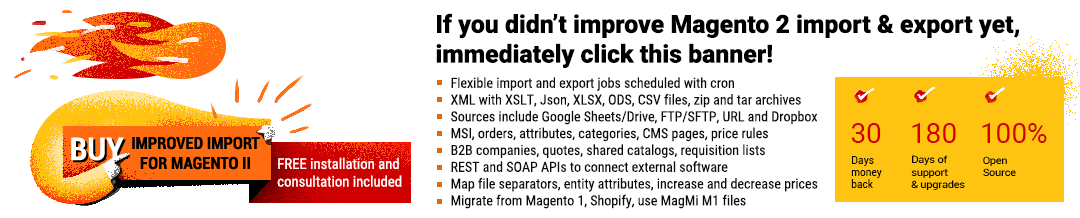
Firebear Improved Import & Export for Magento 2 Changelog

- Magento 2, Our extensions
improved import and export - Magento 2 extension

The following blog post will help you retrace the evolution of the Improved Import & Export Magento 2 module. The article gathers updates associated with the extension’s new version from the very beginning. At the time of 1.0.0, it was a basic import solution with an existing import jobs architecture and import cron automation. With the next few versions, the module got such enhancements as product attribute import on the fly, transfers from FTP, SFTP, URL, Dropbox, custom mapping, etc. Each new release made the Improved Import stronger and stronger. However, it was still an import-only tool until 1.5.0 was released. With this version, our extension became capable of both import and export processes. You can peruse the detailed evolution of the module and see its latest features below. 

Extension Manual | FAQ | Demo | Sample Files

Specification Details
Latest Extension Version 3.8.9
Release Date October 08, 2026
Latest Supported Magento Open Source Version Magento 2.4.9
Latest Supported Adobe Commerce Version Adobe Commerce 2.4.9
Latest Supported PHP Version PHP 8.5

Continue Reading

Magento Inventory Management: Complete Magento 2 Stock Management Guide 2026 (+ Advanced MSI Import & Export)

- Magento 2

magento inventory management guide + import and export tips

Efficient Magento inventory management is essential for keeping product availability accurate, preventing overselling, and maintaining a reliable fulfillment workflow. Whether you run a single warehouse or distribute stock across multiple locations, Magento provides built-in tools for controlling product availability along with other related parameters.

The good news is that modern Magento 2 inventory management goes beyond basic quantity tracking. With Multi-Source Inventory (MSI), merchants can work with multiple inventory sources, combine them into stocks, manage salable quantities, and organize fulfillment across warehouses, stores, and other locations. At the same time, Magento 2 stock management can be extended through ERP, WMS, supplier, and other inventory management integrations when native functionality is not enough.

The bad news is that inventory management in Magento 2 becomes more and more complicated with every new warehouse you connect to your ecommerce stack. In this guide, however, we explain how to make this process as user-friendly as possible. You will learn what Magento inventory management is, how Magento 2 stock management works, and how to configure both global and product-level inventory settings, no matter how huge your warehouse network is. You will also learn about practical stock optimization techniques, external Magento inventory management integrations, and advanced MSI import and export workflows (including import/export of stock sources and products with MSI data) for keeping inventory data synchronized across multiple sources and systems. Continue Reading

Magento 2 Scheduled Import Guide 2026: How to Automate Product Imports Daily, Weekly, Monthly & More

- E-Commerce, Magento 2

illustrative image for the Magento 2 Scheduled Import Guide with magento logo and emojis on orange background

Welcome to our Magento 2 scheduled import guide for 2026. Below, we explain how to automate Magento 2 imports. Available options, however, depend on your platform. Adobe Commerce provides native scheduled import functionality, while Magento Open Source does not support automated imports out of the box. If you use Magento Open Source — or need more flexible scheduling and data transfer options in Adobe Commerce — you can automate import processes with Improved Import & Export.

The extension lets you create reusable import jobs, configure predefined or custom cron schedules, automate product and other entity updates, work with external data sources, and run import jobs from the command line.

So, let’s see how Magento 2 scheduled imports work in Adobe Commerce and Magento Open Source, how to configure automatic product imports, and how the CLI can be used to launch and manage import jobs. As a bonus, we compare the native Adobe Commerce functionality with the more advanced automation available through Improved Import & Export.

Continue Reading

How to Perform Adobe Commerce Data Migration in 2026: Smarter Import & Export for Better Results

- E-Commerce, Magento 2

illustrative image for

Adobe Commerce data migration often involves much more than simply moving a CSV file from one system to another. Product catalogs, customers, pricing, inventory, categories, and other business data may need to be transferred regularly, transformed into the required structure, or synchronized with external platforms. Although Adobe Commerce offers more advanced import and export capabilities than Magento Open Source, including support for scheduled data transfers, its native functionality still has important limitations.

In this article, we explore how to improve Adobe Commerce import and export workflows and make data migration more flexible and reliable. You will learn how to work with various file types (XML, JSON, Excel, etc.) and sources (Google Drive, Google Sheets, FTP, API), transfer orders, categories, B2B, and other entities, automate recurring operations, and so on, overcoming the limitations of the default tools.

But before going any further, let’s look at the native Adobe Commerce import and export functionality and explain how it supports various Adobe Commerce data transfer scenarios.
Continue Reading

How to Choose a Magento 2 Data Import Tool for Magento Open Source & Adobe Commerce in 2026

- Magento 2

cover image for "How to Choose a Magento 2 Data Import Tool" with Magento logo and calendar and notes emojis on orange background

Choosing the right Magento 2 data import tool does not always mean installing another extension. Depending on your store, the best option may be the built-in Magento 2 importer, the additional data-transfer capabilities available in Adobe Commerce, a purpose-built third-party solution, custom development, or a more comprehensive Magento 2 import/export tool. But before you even proceed to evaluating the existing options, try to answer this simple question: how much import functionality does your Magento store actually need?

For a smaller Magento Open Source website that occasionally performs a CSV import of products or customers, the native tools may already cover the entire workflow. There is little reason to introduce extra software if your files already follow Magento requirements and imports are infrequent.

The situation changes when data transfer becomes part of daily store operations. If you need to synchronize supplier catalogs, inventory, prices, customers, orders, B2B entities, or data from ERP, PIM, CRM, and other external systems, these workflows often require automated import, field mapping, scheduled jobs, additional file formats, external data sources, or continuous data synchronization, which are not available by default. Furthermore, not every third-party option can offer them. So, how to choose a Magento 2 data import tool for Magento Open Source and Adobe Commerce in 2026?

In this guide, we compare the main Magento import approaches available for Magento Open Source and Adobe Commerce, explain where each one works best, and highlight the limitations that may eventually require a more advanced solution. Whether you are planning a one-time data migration or building an ongoing integration workflow, the goal is to help you choose a Magento 2 data import tool that matches your actual requirements without adding unnecessary complexity. Continue Reading

Magento 2.4.9 Upgrade: What’s New, Import & Export Improvements, and Third-Party Extension Compatibility

- Magento 2

cover image for Magento 2.4.9 Upgrade Guide for Adobe Commerce and Magento Open Source with Magento logo and calendar and notes emojis on orange background

Magento 2.4.9 is more than another routine platform update. Released on May 12, 2026, it introduces major framework changes, moves Magento toward PHP 8.5, replaces several legacy components, and raises new questions about third-party extension compatibility. For merchants planning a Magento 2 upgrade, this means checking not only server requirements and custom code but also every extension responsible for critical data flows.

In this guide, we explain the most important Magento 2.4.9 changes that can affect extensions, including the move away from Laminas MVC and Zend Cache, the introduction of Symfony Cache, HugeRTE, and native OAuth functionality.

We also examine Magento 2.4.9 import and export behavior, steps you should take before upgrading a production store, and, most importantly, Magento 2.4.9 extension compatibility from an import/export perspective, explaining what Improved Import & Export users should verify before moving to the new release. If your store depends on automated product imports, scheduled exports, ERP or CRM integrations, APIs, or external data sources, include these checks in your Magento 2 upgrade plan. Continue Reading

Magento 2 Categories Import & Export 2026 Guide with CSV, Product Positions, Store View-Specific Names & More (Adobe Commerce & Magento Open Source)

- E-Commerce, Magento 2

Illustrative image for the magento 2 categories import & export guide with emojis, magento logo, and text on orange background

Managing your Magento 2 categories import and export process efficiently is crucial for keeping your product catalog organized and your store running smoothly. However, neither Adobe Commerce nor Magento 2 Open Source supports native category import and export features, making it difficult to transfer category trees, product positions, or store view-specific category names. That’s where the Improved Import & Export extension comes in — a powerful solution that unlocks the ability to import categories to Magento 2, export them with full attributes, and even manage product positions within each category.

In this article, we’ll walk you through everything you need to know about Magento 2 export of categories and the corresponding import workflows. You’ll learn how to transfer your entire category structure via CSV, configure advanced attributes, map data from external platforms, and streamline the import of product positions within categories. We’ll also show you how to manage category transfers per multiple store views — all with the help of a reliable automation tool. Whether you’re performing your first Magento import categories operation or looking to optimize bulk updates across stores, this guide has you covered. Let’s dive in.

Continue Reading

How to Import & Export Products in Magento 2 & Adobe Commerce : The Complete Guide for 2026 (CSV, Images, MSI, Configurable Products & More)

- Magento 2

Magento 2 Product Import Export Tutorial

Magento 2 product import and export are closely connected processes that form a workflow for transferring catalog data into or out of Magento in bulk, making it essential for store migrations, catalog updates, inventory and price synchronization, and product feeds. Whether you use Magento 2 Open Source or Adobe Commerce, efficient import/export saves you from updating products one by one.

In this guide, you’ll learn how to import and export Magento 2 products, starting with the native CSV requirements and default import process. We cover product types, images, attributes, custom options, stock, pricing, tier prices, and common import challenges.

Magento’s built-in tools work well for straightforward CSV operations, but large or complex catalogs often require flexible mapping, automation, multiple data sources, and advanced import options. That’s where Improved Import & Export for Magento 2 can streamline your workflow and handle recurring catalog updates at scale.

Need more than basic CSV imports? Explore Improved Import & Export for Magento 2 to automate product transfers, map data flexibly, and connect Magento with external platforms and data sources.
Continue Reading

Full Magento 2 Import & Export Guide (2026): Master Product, Customer, Order & Other Data Transfers in Magento & Adobe Commerce

- E-Commerce, Magento 2, Uncategorized

illustrative image for the Magento 2 Import & Export Guide with flat icons, magento logo, and text on blue background

Both Adobe Commerce and Magento 2 import and export processes are essential for managing your store’s data, but they can be surprisingly complex. From handling products and customers to orders and custom entities, these operations require technical knowledge, precise formatting, and sometimes third-party tools. That’s why we’ve created this comprehensive resource.

Instead of searching through dozens of separate blog posts, you’ll find everything you need right here — neatly grouped and organized. This Adobe Commerce/Magento 2 import/export guide brings together our most useful tutorials, walkthroughs, and troubleshooting tips. Whether you’re looking for step-by-step Magento 2 product import instructions, exploring Magento import from external systems like Google Sheets, diving into API-powered Magento export workflows, or looking to improve the existing Adobe Commerce data transfer routines — this list has you covered in 2026 and beyond.

We cover both the default Magento 2 import/export features and powerful alternatives like the Improved Import & Export extension. You’ll learn how to automate routine data transfers, work with custom attributes, and unlock features missing in both the Open Source edition and Adobe Commerce.

Start below to master every aspect of Magento 2 import and export — from the basics to advanced automation strategies. Continue Reading