"Shopware 6"

Discovering The True AOV Meaning: The Secret to Growing Your E-Commerce Business Without More Customers

- E-Commerce

cover image for discovering the true AOV meaning

Every time a customer clicks “Proceed to Checkout,” a number gets quietly calculated behind the scenes — the Average Order Value (AOV). Think of it as the heartbeat of your online store, pulsing with the rhythm of every purchase. But why should you care about this mysterious metric? Well, AOV is the unsung hero of e-commerce. It tells you exactly how much each customer is spending, on average, in a single transaction.

Still wondering, what is AOV? Simply put, it’s the golden number that reveals how much cash your customers are throwing into their carts before they hit the “Pay Now” button. And, if you’re asking about the true AOV meaning, it’s not just another acronym to toss around in meetings — it’s a powerhouse of a metric that can shape your entire business strategy.

Why is it relevant? Well, e-commerce isn’t just about getting more customers; it’s about getting more out of every customer. A high Average Order Value means more profit from the same traffic. So whether you’re selling sneakers or spaceship parts, understanding and optimizing your AOV could be the difference between “just making it” and running a wildly successful online empire. Ready to dive into how to make this number work for you? Let’s get started! For other useful terms, visit our e-commerce glossary. Continue Reading


Introducing New Shopware 6 Feature: Data Transformation – Script Editor for Row Modification During Import

- Shopware

Modify attribure values with Data Trnaformation for Shopware 6 import
We are thrilled to introduce you to a new feature of our Improved Import, Export & Mass Actions App for Shopware 6 – Data Transformation. The new feature introduces a script editor window available at the first step of the import process. This editor allows customers to write and apply scripts to modify rows of imported files directly. In other words, it is possible to edit attribute values with the help of a custom script. Let’s elaborate. Continue Reading

What Is MOQ? Your Guide to Minimum Order Quantities Across Major E-Commerce Platforms

- E-Commerce, Magento 2, Shopify, Shopware

MOQ meaning

Running an online store is like navigating a never-ending puzzle. Every day, you juggle fluctuating customer demands, storage limitations, and production costs. One wrong move, and you’re stuck with either too much inventory or not enough to meet demand. That’s where a strategic tool like MOQ (minimum order quantity) comes into play.

Imagine this: you’re a clothing retailer ordering t-shirts from a supplier. You’d love to order just enough to meet a short-term sale, but the supplier requires you to buy a minimum of 500 units. That’s your MOQ — the smallest number of units a supplier is willing to sell. While it may seem like an extra complication, MOQs are actually a crucial part of managing both sides of the supply chain, ensuring neither party takes on unnecessary risk.

MOQ meaning isn’t just about the supplier’s convenience. It’s a survival tool for e-commerce businesses. By setting a minimum order quantity, companies can avoid the pitfalls of high storage costs, low profitability, and inefficient production runs. It’s all about balance. While you want to offer your customers flexibility, you also need to ensure that your business stays profitable.

In today’s e-commerce landscape, understanding what is MOQ is becoming more important than ever. For merchants selling everything from handmade goods to electronics, MOQs are a key strategy in inventory management. They help streamline operations, optimize stock, and maintain profitability. Whether you’re just starting or looking to scale, what does MOQ mean for your business? Let’s find out. Continue Reading

Google Gemini AI: Reshaping E-commerce Future Beyond Google’s Ecosystem

- AI, E-Commerce

Google AI Gemini

Artificial Intelligence (AI) is reshaping industries across the globe, from automating workflows to enhancing customer experiences. At the forefront of this transformation is Google Gemini AI, a cutting-edge multimodal system that processes and generates content across text, code, images, video, and audio. As Google’s latest advancement, Gemini brings unprecedented flexibility, enabling it to seamlessly integrate into a wide range of platforms beyond Google’s ecosystem.

With the capability to power complex tasks, Gemini AI is poised to revolutionize e-commerce platforms like Magento, Shopify, and Shopware. Enhancing personalization, automating product recommendations, and generating multimedia content offers retailers new ways to engage customers and streamline operations. As AI in e-commerce continues to evolve, Google Gemini AI stands as a crucial tool for businesses seeking to stay ahead in the digital marketplace. Continue Reading

Shopware 6 CLI: General Recommendations & Important Commands

- E-Commerce, Shopware

You can dramatically simplify your interaction with Shopware via the console by applying Shopware 6 CLI commands. The platform provides the ability to execute numerous functions with the help of commands. In some situations, such as the necessity to process large amounts of data, their use is the only suitable option.

In this Shopware CLI guide, we provide general recommendations on how to use the command-line interface with the platform. You will find a list of the most important Shopware 6 CLI commands explained and divided into groups. Other Shopware 6 tutorials and guides are available in our cookbook. Continue Reading

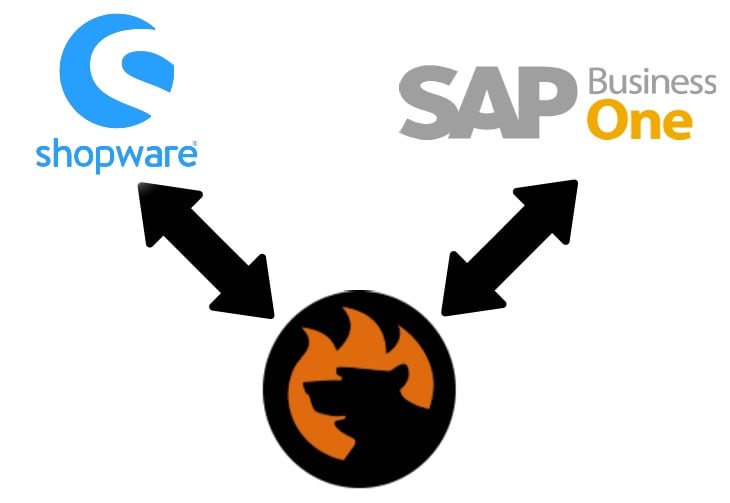
Shopware SAP Integration: SAP Business One Shopware 6 Connector by Firebear

Shopware sap business one connector

What do you know about the Shopware SAP integration? Probably, you are familiar with the fact that you cannot just take your Shopware 6 website and connect it to a random SAP product. However, we know the most user-friendly and intuitive way to create the SAP Business One Shopware integration.  

The Shopware 6 ecosystem of apps and tools is gradually expanding, introducing such handy solutions as SAP Business One Integration for Shopware 6 by Firebear Studio. In the following article, you will learn how to leverage the SAP Business One Shopware tandem with the help of this plugin. We are going to introduce you to the basic principles and features the SAP Shopware connector incorporates and illustrate its functionality. After that, we will focus on several common use cases for the SAP B1  Shopware 6 integration.  

Continue Reading

Must Have Extensions and Apps for Shopware 6

- E-Commerce, Shopware

This article includes a list of the essential tools and apps for Shopware 6. Along with offering tools organized into several areas, we also explain the associated procedures, provide guidance on how to pick a solution that meets your company’s requirements, and give suggestions for putting connected ideas into practice. You can discover the best tools for: 

  • Marketing
  • SEO Optimization 
  • Conversion Optimization 
  • Evaluation and Analysis
  • Price engine 
  • Internationalisation 
  • Checkout process 
  • Administration 
  • Personalisation 
  • Integration 
  • Frontend 
  • Shopping Experience 

If you want to equip your Shopware 6 shop with the most popular add-ons and programs from the Shopware Store to streamline a variety of internal and external business procedures, you’ve come to the right spot.

Continue Reading

Best Apps and Extensions for Shopware 6: Administration Optimization Tools

- E-Commerce, Shopware

Extensions and third-party programs are incredibly beneficial in e-commerce. The primary goal of such add-ons is to make routine activities easier for you to set up and operate your store. Without it, your online store won’t be able to introduce many new features or services. In this post, we’ll look at the top 20 administration help tools accessible from Shopware Store. Every single extension we analyze is compatible with Shopware 6. You will also be knowledgeable about the administration aspect of e-commerce, including what it is, how it works, and why you require particular technologies to support management in your store. After reading this article, you can decide for yourself which application you will utilize in the future. Additionall, you can find more apps from Shopware Store here: Must Have Apps for Shopware 6. Let’s start.

Continue Reading

Best Apps and Extensions for Shopware 6: FrontEnd Optimization Tools

- E-Commerce, Shopware

In eCommerce, extensions and third-party applications are particularly helpful. These add-ons’ main goal is to streamline daily tasks so that you can establish and manage your store more easily. Without it, you won’t be able to add many new features and products to your online business. System like Magento, Shopify, and others has their own App Stores as a result. In this post, we’ll examine the top 20 Frontend tools available from Shopware Store. From personalized pop-ups to blog options, you may find a wide variety of choices here. Each and every extension we review works with Shopware 6. Additionally, you will be familiar with the front end, including what it is, how it functions, and why you need specific technologies to enhance the front-end experience. You will be able to choose for yourself which practical application you will use in the future after reading this article. Furthermore, in our article about Must Have Shopware 6 Apps, you will find a lot of useful stuff. Let’s begin.

Continue Reading

Best Apps and Extensions for Shopware 6: Shopping Experience Optimization Tools

- E-Commerce, Shopware

Extensions and applications are the modern base for conducting business online. The main goal of these add-ons is to make it easier for you to set up and run your store by automating tedious tasks. Your online firm won’t be able to launch many new services or products without it. Because of this, websites like Magento, Shopify, and others have their own App Stores. In this essay, we’ll examine the best 20 Shopware Store solutions for enhancing the shopping experience. Each and every extension we look at works with Shopware 6. Additionally, you will comprehend why and how to improve the buying experience for your store. Following reading this essay, you will also be in a position to make your own decisions regarding which real-world application you will use going ahead. You can find more apps in our article: Must Have Apps for Shopware 6. Let’s start.

Continue Reading